Getting a chance to work in industry that you’ve heard so much in school is a really great experience. Today I’m hyped up about designing user interfaces and writing specifications for how things should work.
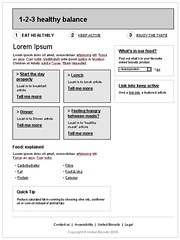
Personally, I’m a big fan of paper prototypes. A technique where you create low-fidelity prototypes that allow you to iterate quickly and without need to invest a lot of time in creating ideas. Trying this for a while now, I’ve learned that just paper prototypes are not enough. People just doesn’t take them too seriously.
This time around, I’m experimenting with upgrading my paper prototypes with computerized version. Nothing too high-fidelity, just printed wireframes in nice boxes and with a rough copy in place.
What about tools? I decided to experiment with OmniGraffle Pro (being a Mac Head) and some excellent stencils from Graffletopia.
To make the whole process easier, I followed a great video from Michael Angeles, Creating prototypes with OmniGraffle, it shows you how to use Actions->Jump tool to create interactive PDF’s that you can use to simulate actual user interaction. It also quickly presents good layout technique, how you’re supposed to have a Master layer with overall grid and then just create different canvases for new layers. Best spent 5 minutes of last week, watching that.
Summary: Go watch the video, and give a bit more hi-fi prototypes a chance, after being happy with your paper ones.
![Reblog this post [with Zemanta]](http://img.zemanta.com/reblog_e.png?x-id=c39a839d-9c1e-43d7-880f-11bde53dd669)
I've never used prototyping software, but it would probably make my life easier if I did. Do you know of a Windows alternative to OmniGraffle?
People often use Microsoft Visio as alternative for OmniGraffle. There's
also a wide collection of more powerful prototyping tools.
I use it at work daily for the very same purpose and I can tell you it can be frustrating just as it can be enjoyable. There are some display glitches, for example, you can make a perfect alignment of lines under 500% zoom, but at 100% it'll look as if there's space between. The panes and the default tool settings could be designed much better too, which is somewhat ironic for software used to create interfaces.
I find all prototyping tools I found so far lacking in one way or other. But worst is probably still better than none.
for more interactive prototypes check out:
http://taubler.com/oversite/ and http://www.axure.com/
nice article! nice site. you're in my rss feed now 😉
keep it up
Thank you for sharing this information.
Fidelity 401k
Yes, it's cool, and useful for me
Fidelity 401k
This time around, I’m fidelity 401k experimenting with upgrading my paper prototypes with computerized version. Nothing too high-fidelity, just printed wireframes in nice boxes and with a rough copy in place.
To make the whole process easier, I followed a great video from Michael Angeles, Creating prototypes with OmniGraffle, it shows you how to use Actions->Jump tool to create interactive PDF’s that you can use to simulate actual user interaction. It also quickly presents good layout fidelity 401k technique, how you’re supposed to have a Master layer with overall grid and then just create different canvases for new layers. Best spent 5 minutes of last week, watching that.